DTF Cleaning & Maintenance Pack with Bluetooth Environment Monitor
Target ink buildup, support routine maintenance, and monitor your printing environment.
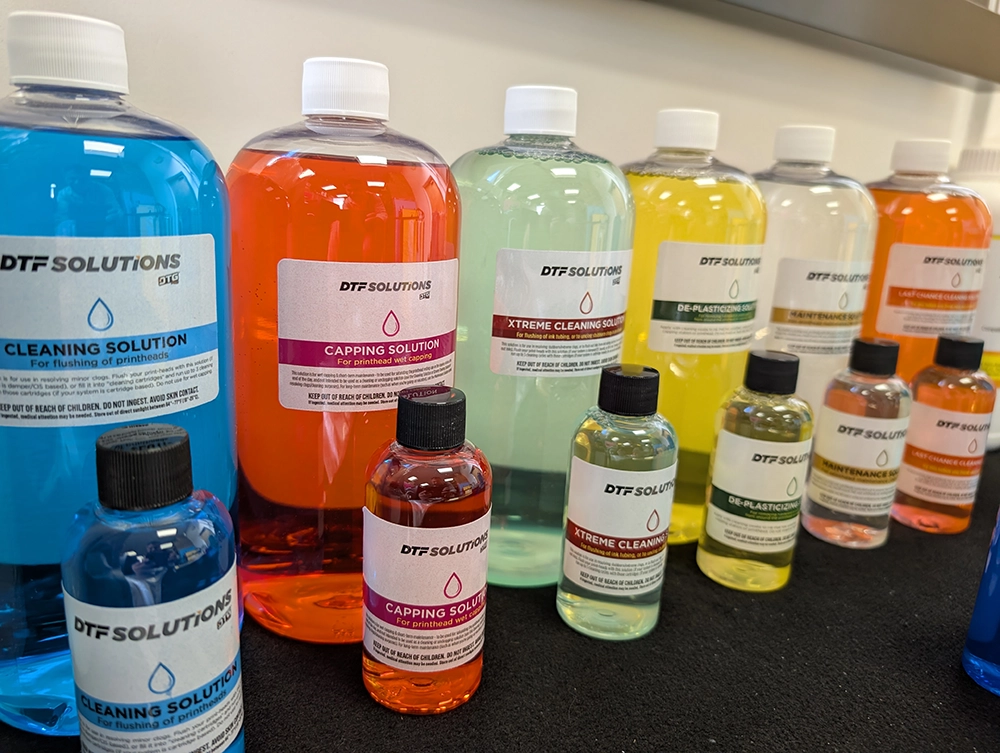
Equip your workspace with five purpose-specific solutions, professional foam swabs, syringe application tools, and a Bluetooth temperature and humidity monitor. From routine printhead cleaning and stubborn clog treatment to daily wet capping and Vacation Mode preparation, this pack brings essential DTF care supplies together in one bundle.
Five Solutions. A Dedicated Purpose for Each.
Choosing the correct solution matters. Cleaning fluids, wet-capping fluid, preservation fluid, and external residue treatment serve different functions and should not be used interchangeably.
| Solution | Included Size | Primary Use |
| Cleaning Solution | 950ml / approx. 32 fl oz | Printhead flushing and treatment of minor ink-related clogs. |
| XTREME Cleaning Solution | 950ml / approx. 32 fl oz | Treatment of stubborn ink-related clogs and flushing residual ink from compatible ink tubing. |
| Capping Solution | 950ml / approx. 32 fl oz | Daily wet capping and short-term printhead maintenance. |
| De-Plasticizing Solution | 100ml / approx. 3.4 fl oz | Swab application to solidified ink on approved external maintenance surfaces. |
| Maintenance Solution | 100ml / approx. 3.4 fl oz | Vacation Mode preparation to help preserve a properly functioning printhead during planned downtime. |
Tools & Monitoring Equipment Included
- 50 Professional Printer Cleaning Foam Swabs: For controlled application and targeted cleaning of approved maintenance surfaces.
- 5 Syringes with Tips / Tubes: For controlled solution application. Tubing connects the syringes to compatible printhead inlet ports for cleaning and maintenance procedures.
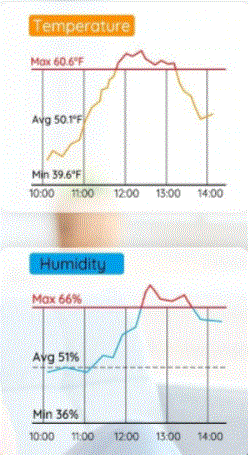
- Bluetooth Digital Temperature & Humidity Monitor: A combined thermometer and hygrometer with an LCD display, app monitoring, notification alerts, and up to two years of data storage with export functionality.
Keep an Eye on Your Printing Environment
Check room temperature and relative humidity on the LCD display or through the compatible app. Alerts and historical records help you identify changing conditions and compare them with the operating ranges recommended for your printer and inks.
Connectivity note: Bluetooth app monitoring operates within Bluetooth range. Off-site monitoring requires a supported gateway or other connectivity, if available; it should not be assumed from Bluetooth alone.
Which Solution Should You Use?
Cleaning Solution - Routine Flushing & Minor Clogs
Use to help loosen ink deposits and address minor printhead clogs. On compatible damper or continuous ink supply (CIS) systems, use the appropriate printhead flushing procedure. On compatible cartridge-based systems, the solution can be loaded into model-specific cleaning cartridges and used with the prescribed cleaning cycle procedure.
Do not use for wet capping. Follow your system's cleaning directions rather than repeatedly running cleaning cycles without checking results.
XTREME Cleaning Solution - Stubborn Clogs & Ink-Line Flushing
Use for more persistent ink-related buildup or for flushing residual ink from compatible tubing, such as during an approved ink changeover. Apply through the appropriate flushing method for damper/CIS systems or through compatible cleaning cartridges where permitted.
Do not use for wet capping. Never force solution through a blocked printhead; cleaning cannot repair physical or electrical damage.
Capping Solution - End-of-Day Wet Capping
Use for wetting the printhead resting cap as directed during end-of-day care and short-term maintenance. This solution supports moisture retention at the capped nozzle area.
Not a cleaning or unclogging solution. For extended planned downtime, follow the Vacation Mode procedure using Maintenance Solution.
Maintenance Solution - Vacation Mode Preservation
Use to help keep internal printhead passages lubricated and preserve the printhead's existing condition during planned inactivity. Begin with a properly functioning printhead and a satisfactory nozzle test.
Does not clean, unclog, or repair printheads. Resolve missing nozzles and other performance problems before preparing the printhead for storage.
De-Plasticizing Solution - External Solidified Ink Treatment
Apply with a cleaning swab to solidified ink on approved external areas around the printhead, capping station, or wiper blade, following the product directions.
Do not pour or inject this solution into the capping station or printhead channels. Do not use it for flushing or wet capping.
Compatibility & Use: Confirm compatibility with your printer, printhead, and ink chemistry before use. Cartridge-based procedures require the correct model-specific cleaning cartridges, which are not included in this pack. Use gentle, controlled pressure, keep fluids away from electrical components, and follow the applicable product and printer maintenance directions.
 Free Shipping on Qualifying Orders see details |