PATENT-PENDING CLEAR INK + WHITE POWDER TECHNOLOGY
MagicInk™ Clear Ink for White-Ink Replacement Print Clear. Get Your White from White MagicPowder™.
Rethink the white layer in DTF printing. In supported configurations, clear MagicInk™ replaces printed white ink and holds White MagicPowder™ in the printed design. The powder supplies the white backing and heat-activated adhesive, so the white comes from the powder instead of white pigment ink passing through your printhead.
CMYK supplies the color. MagicInk™ supplies the clear powder-holding layer. White MagicPowder™ supplies the white. Together, they form the foundation of our patent-pending white-ink replacement workflow for compatible DTF systems.
Choose your formula: MagicInk™ Original provides clear powder-placement technology for compatible Canon® and Epson® desktop inkjet configurations. MagicInk™ Pro, coming Q4 2026, adds a binder-rich formula designed to enhance adhesion and bonding (aka washability) in supported Epson® pigment and DTF printing systems.
Patent-Pending Clear Ink + White Powder Technology Original MagicInk: 2026 Pinnacle Award Winner CLEAR INK + WHITE MAGICPOWDER™ = WHITE BACKING WITHOUT WHITE INK
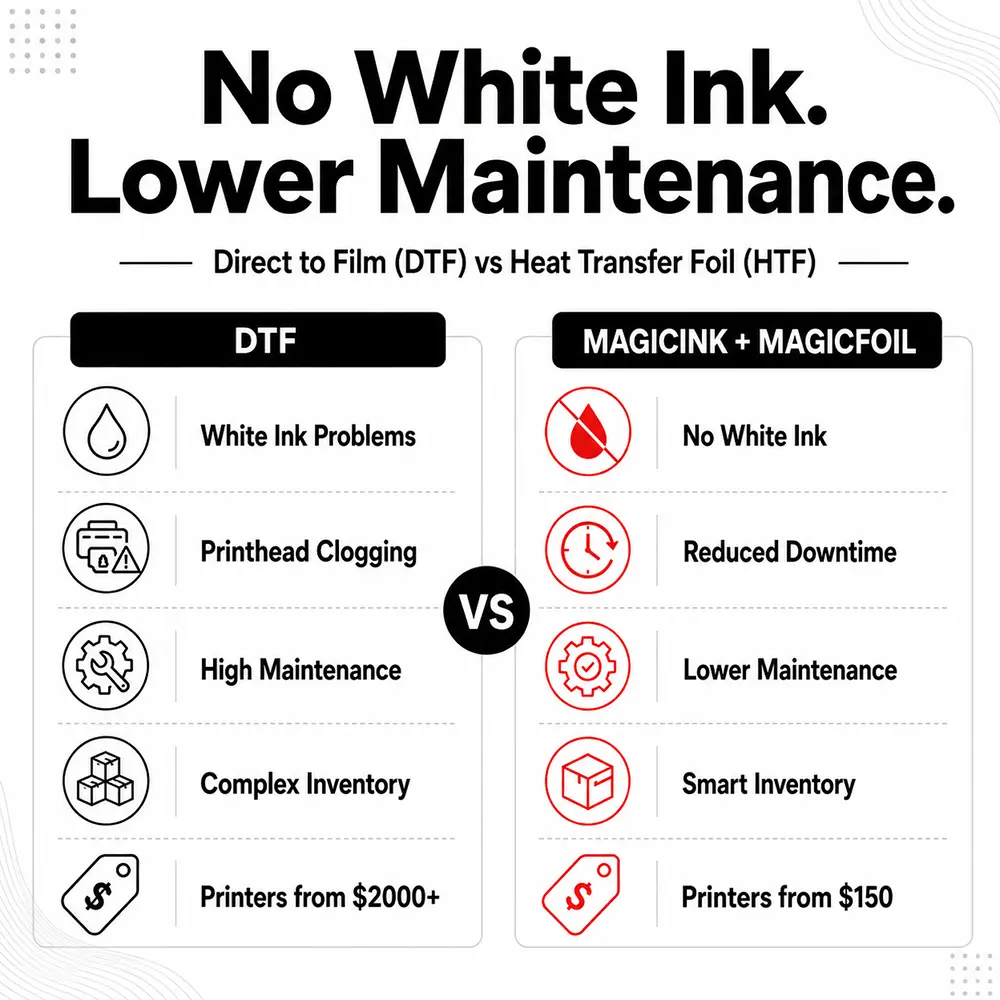
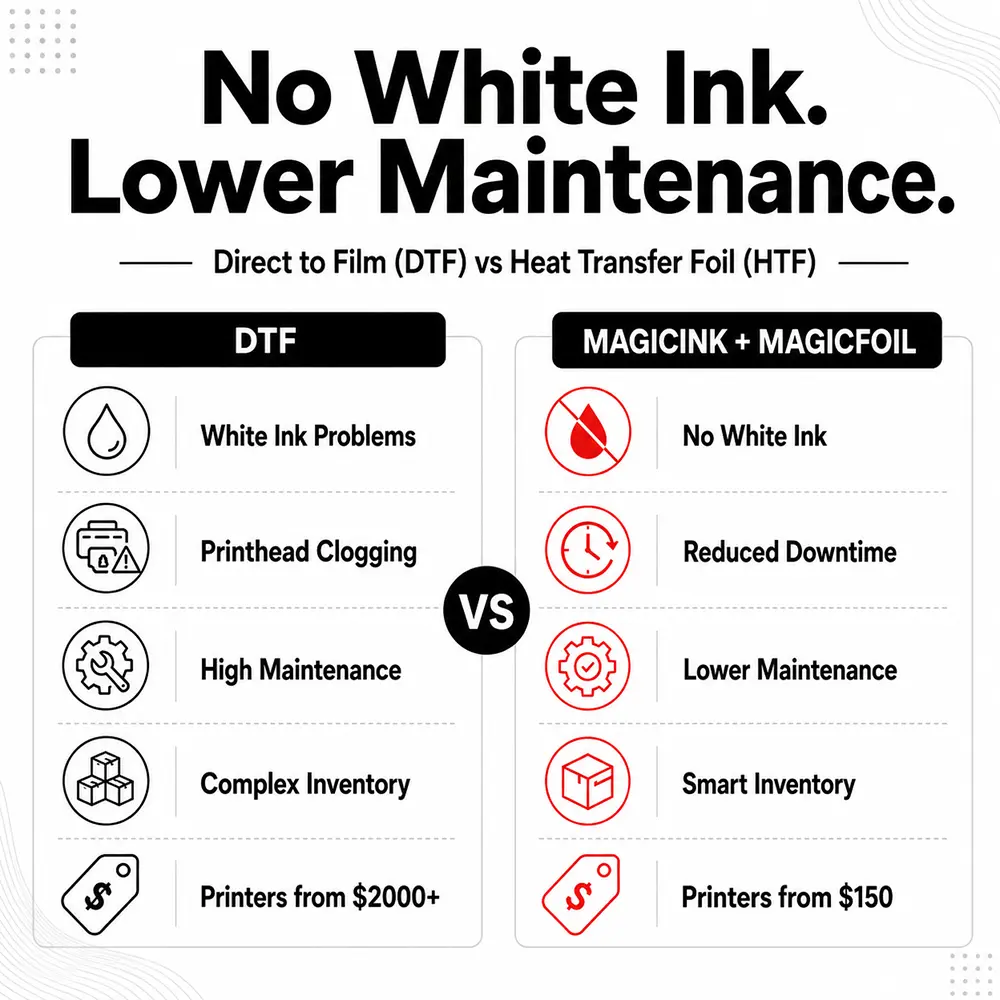
Move the white pigment out of the ink-delivery path and into the powder stage. Our patent-pending approach targets the white-pigment settling and maintenance challenges familiar to DTF operators, while retaining a white backing for transfers onto light and dark garments.
A Different Way to Build the White Layer Conventional DTF
CMYK color ink + printed white pigment ink + adhesive powder. The white ink creates the backing, and the powder supplies the adhesive bond.
Patent-Pending MagicInk™ Workflow
CMYK color ink + clear MagicInk™ + White MagicPowder™. The clear ink holds the powder; White MagicPowder™ creates both the white backing and the adhesive bond.
Clear ink does not turn white. White MagicPowder™ is the essential source of white opacity in this process. Standard clear adhesive powder does not provide the same white backing.
Choose Your MagicInk™ Formula Select the formula for your printer and production process from the MagicInk Formula dropdown, then choose your bottle size.
Original - Canon
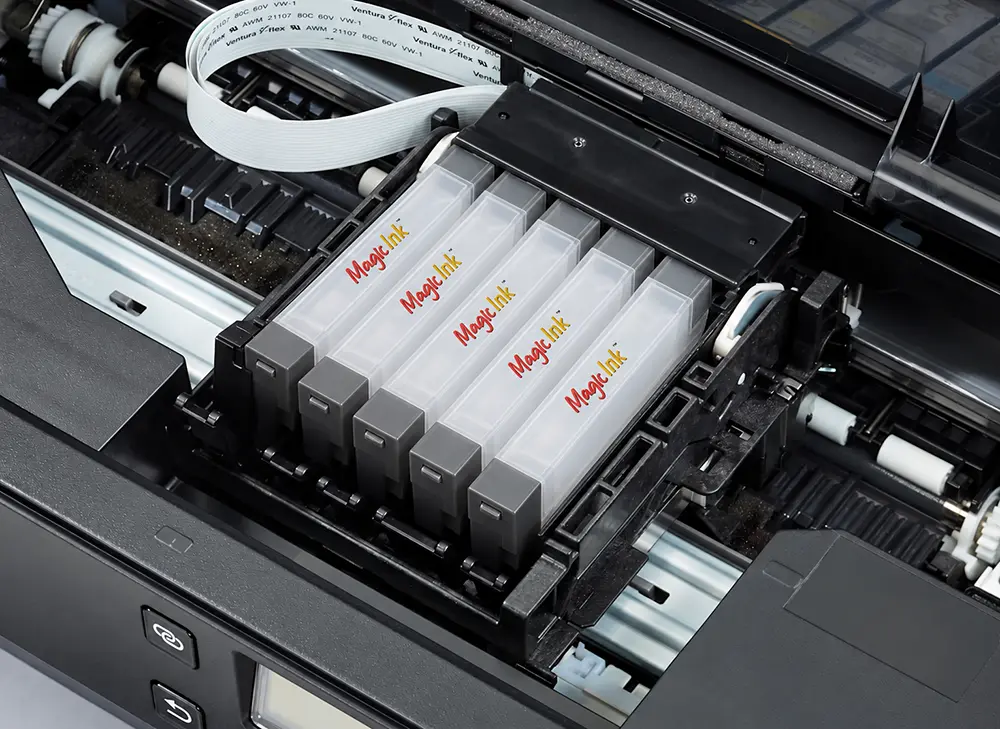
Clear powder-placement ink for compatible Canon® desktop inkjet configurations. Print the design, apply MagicPowder™, then cure and press using the selected transfer process.
Original - Epson
Clear powder-placement ink for compatible Epson® desktop inkjet configurations. The printed pattern holds the powder, and the cured powder provides the adhesive bond.
Pro - Epson / DTF
Coming Q4 2026
Advanced binder-rich clear ink for supported Epson® pigment printers and Epson-head DTF systems. Combines powder placement with additional binding functionalit, and washability.
For Original, confirm your exact printer and ink-channel configuration, whether originally dye-based or pigment-based. Printer brand or original ink type alone does not establish compatibility.
Coming Q4 2026
Introducing MagicInk™ Pro Binder-Rich Clear Ink for the Next Step in White-Ink Replacement
MagicInk™ Pro brings additional binding functionality to our patent-pending clear-ink and white-powder process. Developed for supported Epson® pigment and Epson-head DTF systems, its binder-rich formula is designed to enhance adhesion and bonding alongside White MagicPowder™.
Its clear formula contains no added colored or white pigment particles. In the supported DTF workflow, your CMYK inks create the image, MagicInk™ Pro provides the clear layer in place of white ink, and White MagicPowder™ supplies the white backing and adhesive.
Enhanced Bonding Technology
A binder-rich formulation designed to contribute adhesion and cohesion alongside the selected powder and heat-transfer process.
Binding & Protective Functionality
Incorporates binders intended for bonding and surface-protection applications. Their contribution to a finished transfer depends on the selected materials and curing process.
Built for Supported Epson Systems
Designed for compatible Epson® desktop pigment printers and Epson-head DTF production platforms using the specified MagicInk™ Pro process.
Where to Use MagicInk™ Pro Epson-head DTF systems: Supported aqueous pigment configurations using XP600, DX7, I1600 and I3200 printheads.L1800- and 1390-based DTF systems: Supported converted printer configurations used for pigment-based DTF production.Epson® desktop pigment printers and other Epson-head systems: Compatible models and additional head platforms, subject to exact model and ink-system confirmation. Choose Pro for supported Epson DTF production: Pair its binder-rich clear formula with White MagicPowder™ when configuring a supported white-ink replacement workflow. Pro adds binding functionality; White MagicPowder™ remains essential for the white backing and adhesive bond.
Confirm the printer, printhead variant and ink-delivery system before use. A head name alone does not establish compatibility, and UV, solvent and sublimation setups are not included in this listing. Final adhesion and wash performance depend on the complete transfer system, garment, curing, pressing and care instructions.
MagicInk™ Original vs. MagicInk™ Pro Feature MagicInk™ Original MagicInk™ Pro Primary role Clear printed pattern that attracts and holds powder Powder placement with additional binding functionality Bonding approach Cured MagicPowder provides the adhesive bond Added binders designed to enhance adhesion alongside the selected transfer system Printer platforms Compatible Canon and Epson desktop configurations Supported Epson pigment and Epson-head DTF configurations Source of white backing White MagicPowder in the specified white-ink replacement workflow White MagicPowder in the specified white-ink replacement workflow Availability Current formula Coming Q4 2026
Why Choose MagicInk™? Clog-Resistant Architecture
Designed to reduce the sediment buildup and nozzle blockage associated with heavily pigmented textile inks.
Lower Daily Maintenance
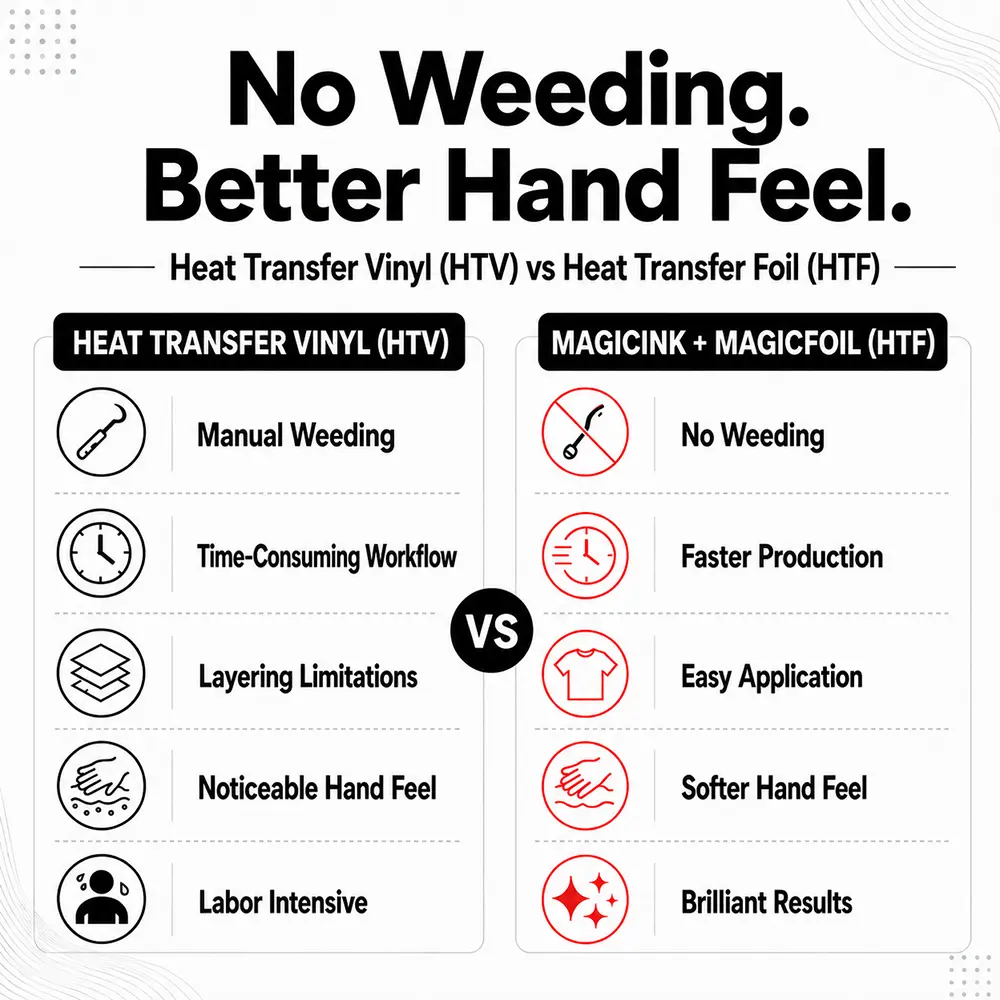
Supported workflows avoid the need to print white pigment ink, helping reduce pigment-related maintenance. Routine printer cleaning and nozzle care are still required.
White Backing from Powder
White MagicPowder™ supplies the white backing needed to support color on dark garments, without printing white pigment ink.
Patent-Pending Process
A coordinated clear-ink and white-powder approach that changes where the white layer is introduced in DTF production.
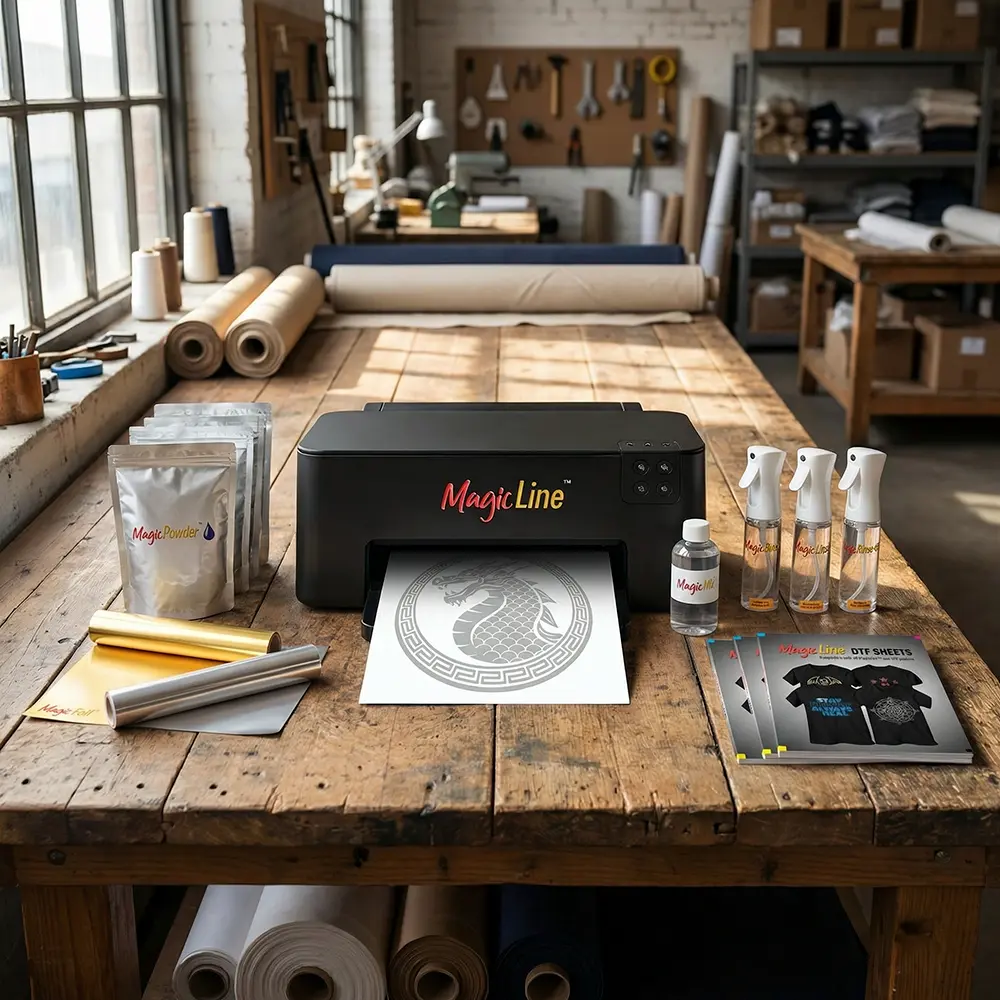
Already Using the MagicLine™ Desktop DTF Hack? The desktop DTF Hack uses compatible existing color inks, MagicLine™ Transfer Sheets and the appropriate MagicPowder™. That is a separate setup from replacing a DTF printer's white ink with clear MagicInk™. Use the instructions for your specific system.
Explore the MagicLine™ desktop transfer system
How the Clear-Ink + White-Powder DTF Process Works 1. Print Color + Clear
2. Apply White MagicPowder™
3. Cure
4. Heat Press
5. Finish & Check
Part of the MagicLine™ Ecosystem White MagicPowder™
Compatible CMYK Inks
Specialty Applications
MagicLine™ Transfer Films
Select the Correct MagicInk™ Formulation Select Original - Canon, Original - Epson or Pro - Epson / DTF according to your confirmed printer configuration and transfer process. Do not mix formulas or add MagicInk™ to existing ink. Follow the specified preparation and ink-change instructions. Use White MagicPowder™ for the white backing. White-ink replacement requires a supported printer configuration, correct channel mapping and the specified film, ink and powder combination; it is not a universal bottle-for-bottle swap.
Film, powder, curing, pressing and peeling instructions vary by workflow. White MagicPowder™ supplies the white backing; clear adhesive powder cannot substitute for it in this workflow. Confirm the approved ink-change, channel-mapping and RIP setup before replacing white ink. For full-color pigment or sublimation transfers, follow the separate MagicLine™ DTF Hack instructions. Always follow the instructions supplied with the selected ink and transfer system. Ventilation and Safe Operation Operate printing, powder-curing and heat-transfer equipment in a properly ventilated workspace. Follow the supplied instructions and use appropriate protective equipment when handling inks, powders, heated film and production equipment.
Clear Ink. White Powder. Patent-Pending Innovation. Bring the white backing into the powder stage with MagicInk™ and White MagicPowder™. Choose the formula for your supported setup. MagicInk™ Pro arrives Q4 2026.
 Free Shipping on Qualifying Orders see details |