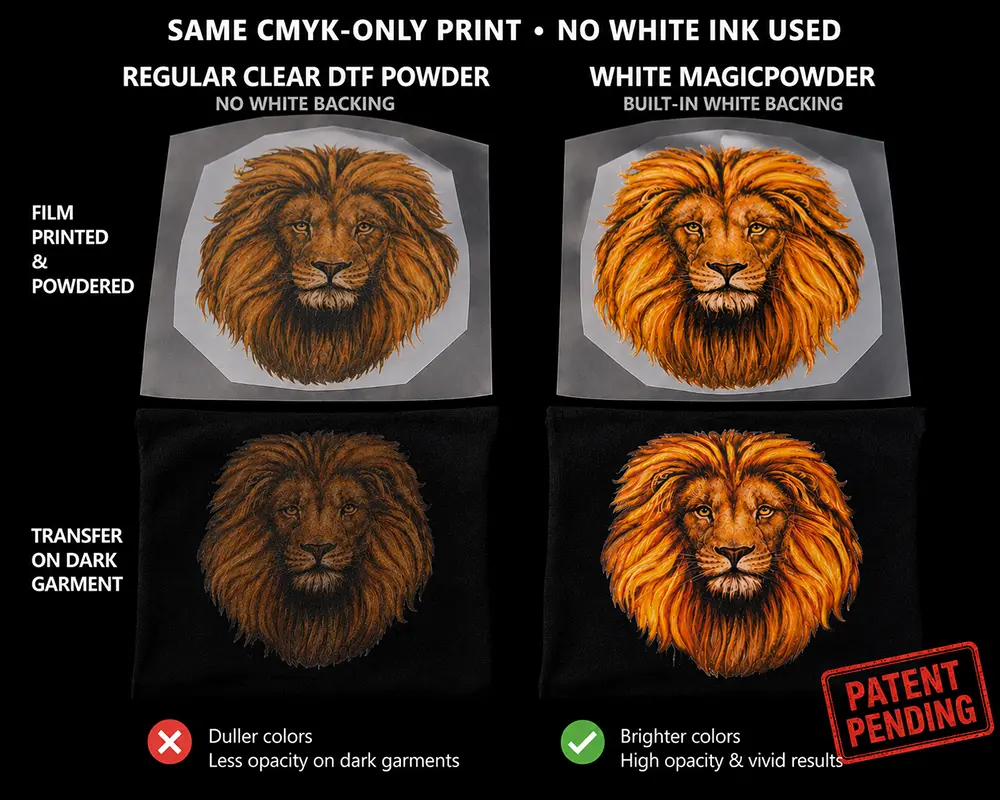
TRANSFER SUPPLIES + CURING STATION + HEAT PRESS
MagicLine™ Desktop Transfer Complete Production Kit
A Complete Full-Color Transfer Production System—Just Add a Compatible Pigment Inkjet Printer
The MagicLine™ Desktop Transfer Complete Production Kit combines the MagicLine™ transfer consumables with the equipment needed to cure, apply and finish professional full-color garment transfers.
This bundle includes a Large A3+ DTFLINE HeatStation for controlled powder curing and a 15" x 15" CraftPress for applying and finishing transfers.
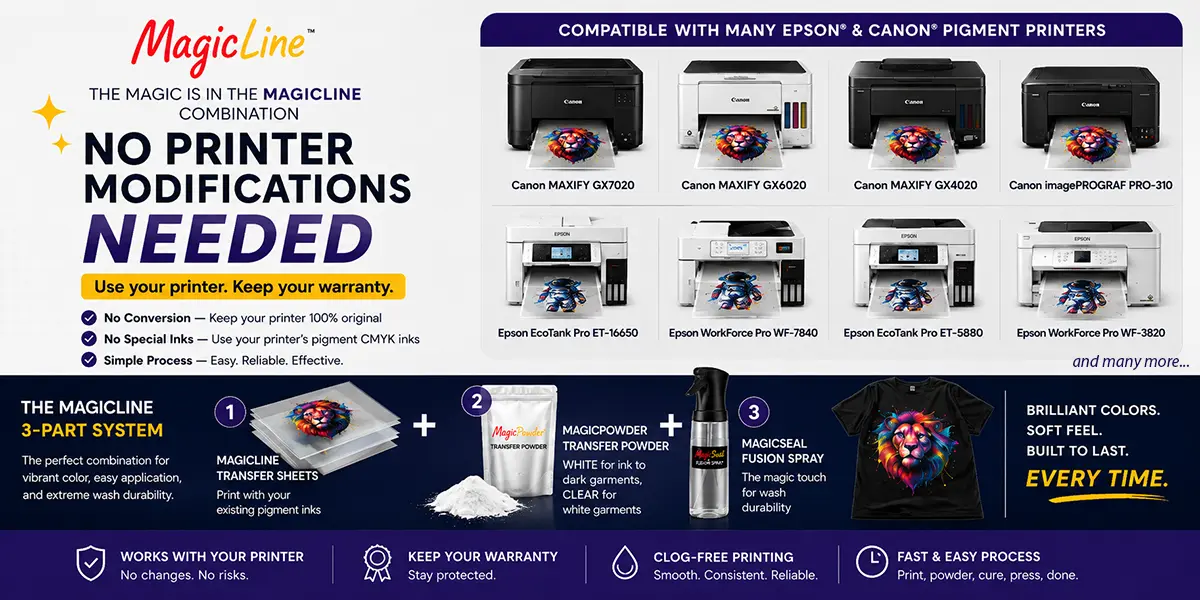
Simply add a compatible Canon® or Epson® desktop printer with pigment-based CMYK inks. There are no specialty inks to install, no white ink, no DTF conversion and no printer modifications required.
Everything You Need Except the Printer
The transfer supplies, powder-curing station and heat press are included. Choose one of the compatible pigment inkjet printers listed below to complete your production system.
Start With White Garments—Expand to Dark Garments Later
This bundle includes Clear MagicPowder™, which provides the adhesive layer needed to produce transfers for white garments.
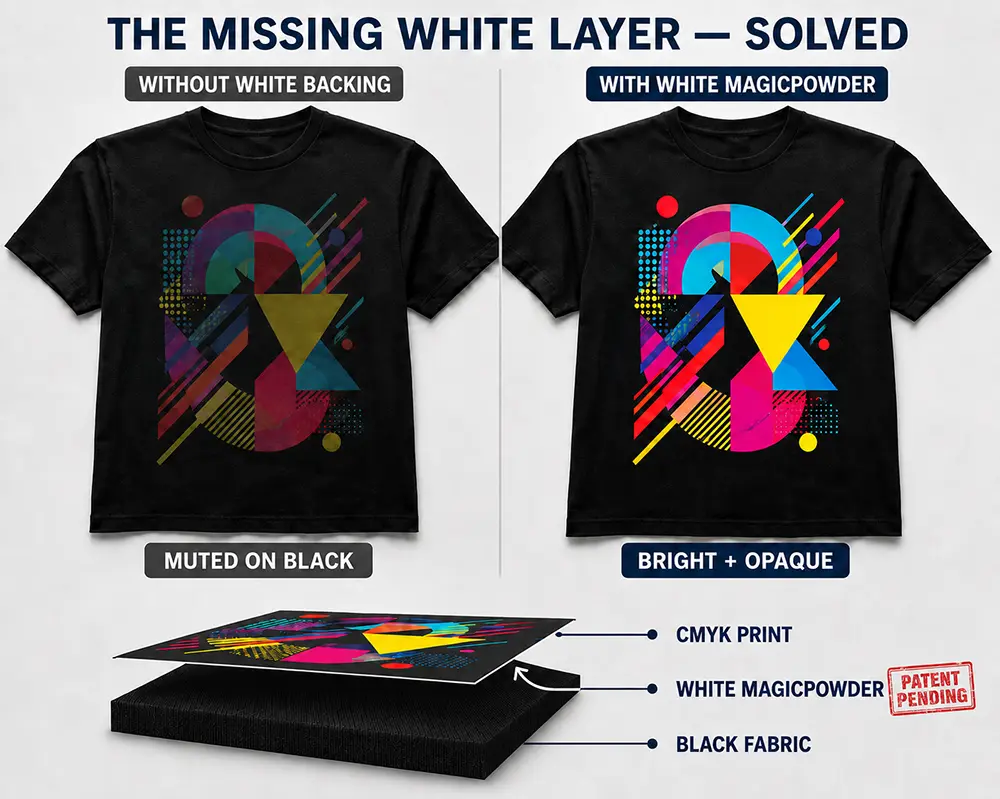
White MagicPowder™ is not included and is required for transfers applied to colored, dark and black garments. White MagicPowder™ is expected to become available beginning in Q4 2026 and will be sold separately.
The included HeatStation, CraftPress, transfer sheets and MagicSeal™ Fusion are already compatible with White MagicPowder™. No different ink, new transfer sheets, printer conversion or replacement production equipment will be required.
No White Ink Avoid white-ink circulation, daily agitation and clog-related maintenance.
No Printer Conversion Keep your compatible desktop printer in its original factory configuration.
Dedicated Powder Curing Cure powdered transfers using the included Large A3+ DTFLINE HeatStation.
Full-Size Heat Press Included Apply and finish transfers with the included 15" x 15" CraftPress.
Available Options:
| Printer Starter System | Production Kit with HeatStation | Complete Production Kit with HeatPress + HeatStation | All-in-One Production System with HeatPress + HeatStation + Printer |
|---|
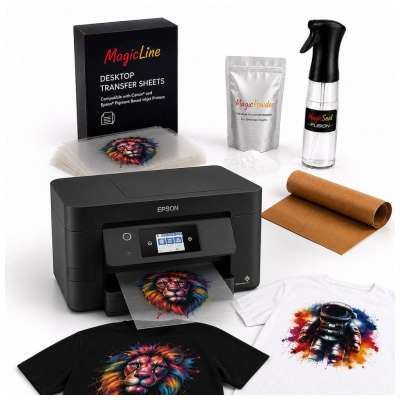 | 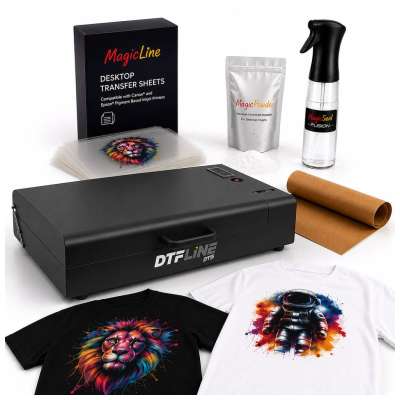 | 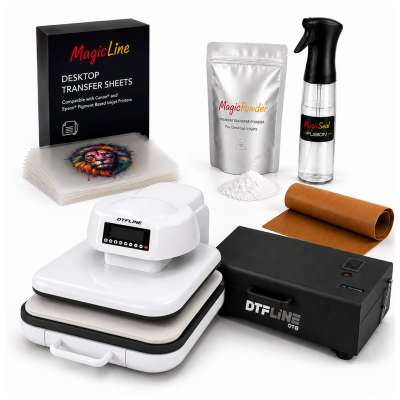 | 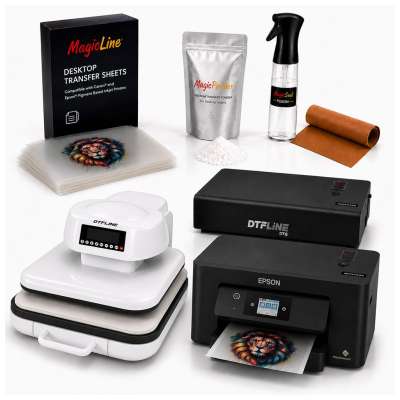 |
- Pigment CMYK inks included
- 100 A4 transfer sheets
- Clear MagicPowder included
- MagicSeal Fusion included
- WF-3820 printer included
| - Pigment CMYK inks included
- 100 A4 transfer sheets
- Clear MagicPowder included
- MagicSeal Fusion included
- A3+ HeatStation included
| - Pigment CMYK inks included
- 100 A4 transfer sheets
- Clear MagicPowder included
- MagicSeal Fusion included
- A3+ HeatStation included
- 15" x 15" CraftPress (HeatPress) included
| - Pigment CMYK inks included
- 100 A4 transfer sheets
- Clear MagicPowder included
- MagicSeal Fusion included
- WF-3820 printer included
- A3+ HeatStation included
- 15" x 15" CraftPress (HeatPress) included
|
| $398.00 view item | $498.00 view item | $798.00 | $998.00 view item |
A Complete Desktop Transfer Production Workflow
Conventional DTF printing typically requires a specialized printer, dedicated DTF inks, circulating white ink and frequent maintenance. MagicLine™ takes a simpler, lower-maintenance approach.
Your compatible desktop printer remains in its original configuration and prints the full-color design using regular pigment-based CMYK inks. Clear MagicPowder™ supplies the adhesive layer required for application to white garments.
The included DTFLINE HeatStation cures the powdered transfer, the included CraftPress applies it to the garment, and MagicSeal™ Fusion completes the finishing process by helping protect the pigment colors and substantially improve wash durability.
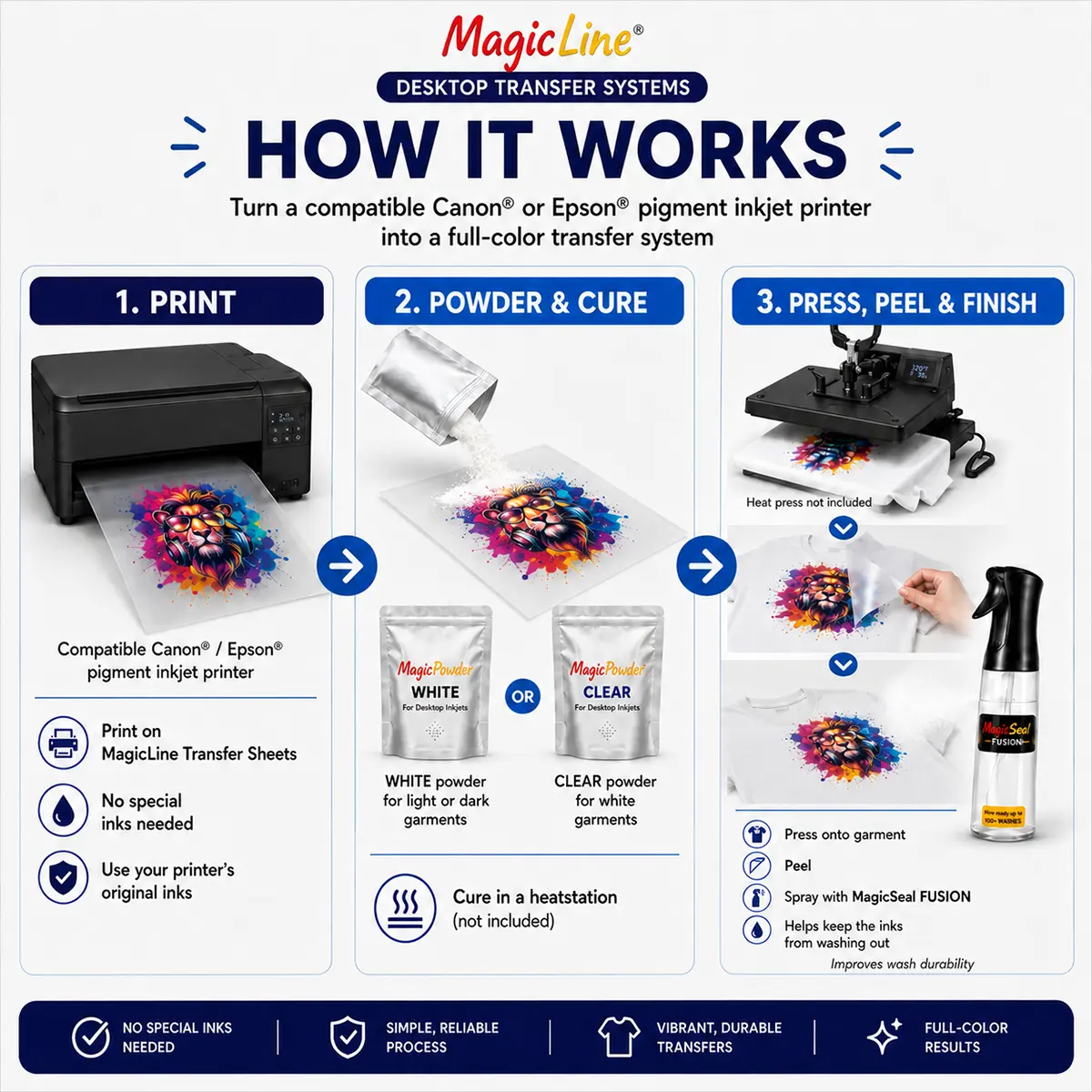
How It Works
1
Print With Your Compatible Printer
Print the mirrored design onto a MagicLine™ Transfer Sheet using a compatible Canon® or Epson® desktop inkjet printer with pigment-based CMYK inks.
2
Apply the Appropriate MagicPowder™
Apply the powder evenly while the printed ink is ready to receive it. Use the included Clear MagicPowder™ for white garments or White MagicPowder™, sold separately, for colored and dark garments.
3
Cure With the Included HeatStation
Use the Large A3+ DTFLINE HeatStation to melt and cure the powder under controlled time and temperature settings.
4
Heat Press and Peel
Apply the cured transfer to the garment using the included 15" x 15" CraftPress, then peel according to the supplied instructions.
5
Finish With MagicSeal™ Fusion
Apply MagicSeal™ Fusion and complete the finishing press using the CraftPress. This essential step helps keep the pigment inks from washing out while improving durability, softness and flexibility.
What Is Included
Large A3+ DTFLINE HeatStation Dedicated tabletop curing station for controlled melting and curing of the applied transfer powder.
15" x 15" CraftPress Full-size clamshell heat press with digital time and temperature controls and adjustable pressure.
100 MagicLine™ Transfer Sheets A4 size: 8.25" x 11.75"
Translucent transfer film engineered for compatible desktop pigment inkjet printers.
Clear MagicPowder™ 1.1 lb package.
Provides the adhesive layer required for transfers applied to white garments.
MagicSeal™ Fusion Spray Kit Includes 500 ml of Fusion solution, a reusable spray bottle and a Teflon finishing sheet.
Quick-Start Setup Guide Instructions covering printing, powdering, curing, pressing, peeling and finishing.
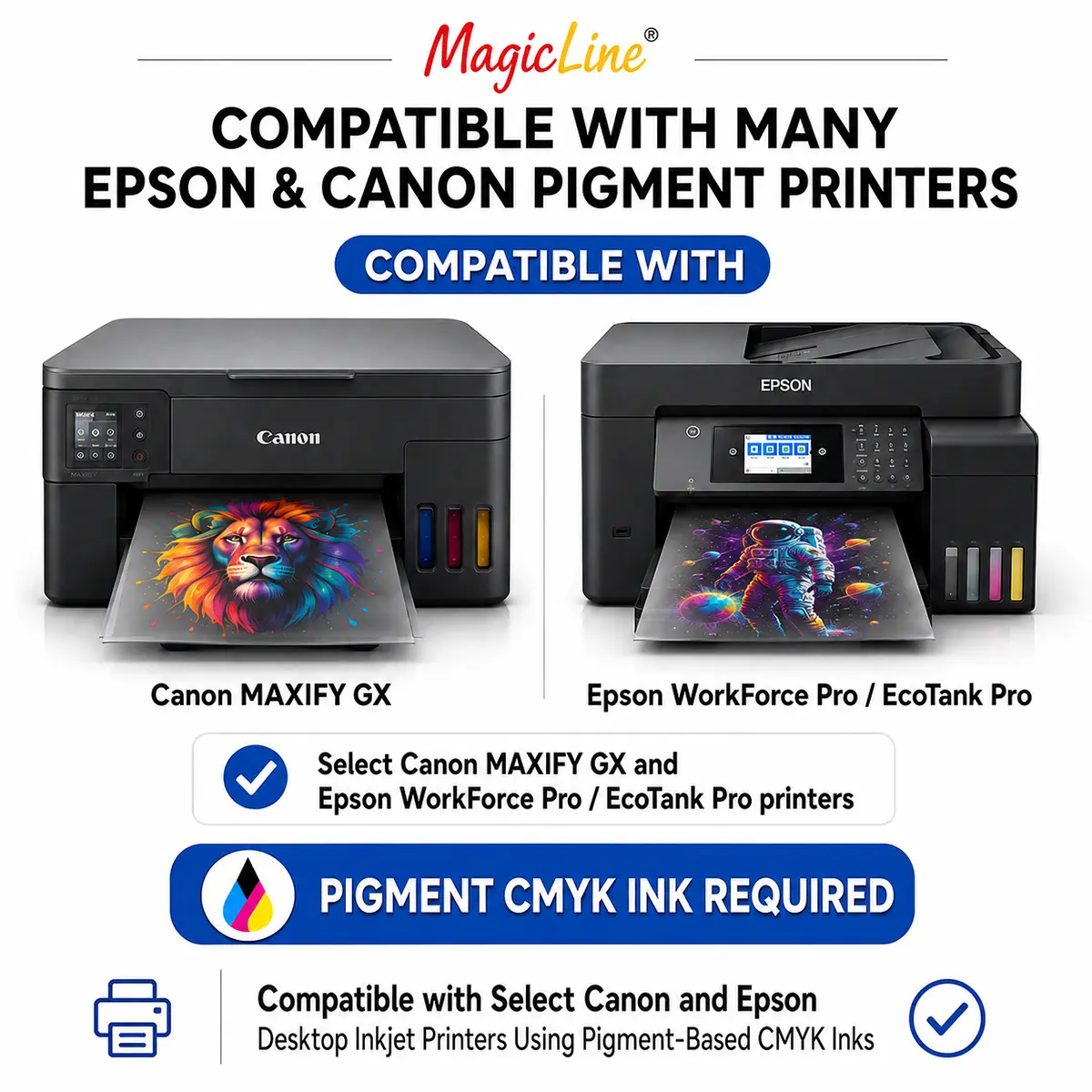
Compatible Pigment Inkjet Printers
Pigment-Based CMYK Inks Are Required The printer must use pigment-based cyan, magenta, yellow and black inks. Compatibility is determined by the installed ink formulation—not simply by the printer brand or family.
Complete your production system with one of the following compatible printer models:
| Brand | Printer Series | Compatible Models |
| Epson® | WorkForce Pro | WF-3820, WF-3823, WF-4820, WF-4830, WF-4833, WF-4834, WF-7310, WF-7820, WF-7840 |
| Epson® | EcoTank Pro | ET-5150, ET-5170, ET-5180, ET-5800, ET-5850, ET-5880, ET-16600, ET-16650 |
| Epson® | WorkForce | EC-C7000 |
| Canon® | MAXIFY GX | GX1020, GX2020, GX3020, GX4020, GX5020, GX5120, GX6020, GX6120, GX7020, GX7120 |
All Four Ink Colors Must Be Pigment-Based Printers that use pigment black with dye-based cyan, magenta or yellow inks are not compatible. Dye-based office printers should not be assumed to work with this process.
Paper-Feeding Requirements Printers that feed from a bottom tray may require MagicLine™ FEEDASSIST Transfer Sheets or a regular paper leader attached according to the instructions. Top- or rear-feed printers typically do not require feeding assistance.
Printer specifications and manufacturer ink formulations may change. Confirm compatibility for your exact printer model and installed ink before purchasing.
Required Equipment—Not Included
- One of the compatible pigment-based desktop inkjet printers listed above
- Pigment-based CMYK printer inks
The transfer consumables, DTFLINE HeatStation and CraftPress are included. The compatible printer and its pigment-based CMYK inks must be supplied separately.
White MagicPowder™—Not Included
White MagicPowder™ is required for transfers applied to colored, dark and black garments and must be purchased separately. Availability is expected beginning in Q4 2026.
Once the powder is purchased, no different printer, inks, transfer sheets, MagicSeal™ products, HeatStation or heat press are needed to expand into dark-garment printing.
Initial Production Capacity
Includes 100 A4 transfer sheets and is designed to produce up to approximately 100 full-sheet transfers. Actual yield depends on artwork size, ink coverage, setup sheets, test prints and production technique.
Ventilation and Safe Operation
Operate powder-curing and heat-transfer equipment in a well-ventilated workspace. Local exhaust ventilation or suitable fume extraction is recommended during powder application, curing and heat pressing.
Follow all product and equipment instructions and use appropriate protective equipment when handling transfer powders, heated film and production equipment.
Complete Your System With a Compatible Printer
Add one of the compatible pigment inkjet printers listed above to the included transfer consumables, DTFLINE HeatStation and CraftPress for a complete desktop production workflow. Start with white garments using Clear MagicPowder™, then add White MagicPowder™ when available to expand into colored, dark and black garments.
 Free Shipping on Qualifying Orders see details |